
Forty-three screenshots. Four folders named "New Folder." A Downloads directory that has become a filing cabinet, complete with a subfolder called "old" inside another subfolder called "old."
Ask yourself the question that exposes the problem. When you open a folder, does the arrangement tell you anything, or do you re-read every name until one matches what you remember? If it's the second one, this isn't a discipline problem. It's a structure problem. Information ordered by time, by category, or by priority is faster to scan and easier to remember than information that's merely piled in the order it arrived.
That's what patterns of organization are: repeatable arrangements, not decoration. The eight patterns of organization examples below are each shown twice, once as a documented way to order writing and once as the matching way to order files and projects on a Mac. The pairing matters because you probably do both in the same afternoon. You write the handoff doc, then you have to file it somewhere a colleague can find it.
Every entry gives you the same things: what the pattern does, where it works, the specific failure mode that makes it backfire, a real example set, and one tactic you can apply today. Pick two patterns rather than reading all eight as a glossary. Two is enough to fix the folder that slows you down most.
1. Chronological Order
Chronological order arranges material in the sequence it happened. It has the lowest learning curve of any pattern and the highest tolerance for volume, which is why it survives everywhere from lab notebooks to instruction on organizational patterns, where a long development gets split into named spans such as 1895 to 1920 and 1920 to 1945 so a reader can scan it in slices rather than read it as one block.
That sequence logic is the whole appeal. A growth process only reads cleanly when the stages are laid out in order.

In writing, chronology is the project retrospective that walks from kickoff to delivery, or the methods section that explains how a field's approach changed decade by decade. In Finder, it's year, then month, then event. A photographer's archive built as 2024/2024-06-wedding-client-name/ does more for retrieval than any tagging scheme, because the folder itself answers "when" without opening.
Where chronological order breaks
Chronology hides topic. When you remember the client but not the month, a date-first tree makes you open every month to find one shoot. It also degrades over time: one undated folder dropped into the root breaks the sort, and six months later nobody remembers where the exception went or why.
Tactic for this afternoon: rename your five most recent project folders with an ISO date prefix, 2025-03-14-client-name, so they sort correctly and stay sortable when you add a hundred more. Pair that with a consistent file naming convention inside each folder so the timeline stops being guesswork. The same structure works far outside work too, which is why organising cat records into a health timeline beats a shoebox of receipts: one dated entry per event.
2. Compare and Contrast
Comparisons go wrong in a predictable way. The criteria show up after the decision is already made. Compare and contrast fixes that by naming the dimensions first, then walking each subject against them.
Two structures do the work. Point-by-point takes one criterion at a time and covers every option before moving on. Subject-by-subject finishes one option completely, then starts the next. Point-by-point wins whenever there are more than three criteria, because the reader never has to hold option A in their head while reading about option B. Subject-by-subject wins for short pieces where switching back and forth is more tiring than useful.
A balanced comparison means matching items against matching items, not two different lists stapled together.

A controlled study of information location and color schemes shows what a well-built comparison looks like. It tested analogous against non-analogous color schemes and found the non-analogous schemes significantly more accurate (p=0.001) and faster (p=0.029), with dichromatic schemes also beating monochromatic ones. The result is useful on its own, and it's also a model: fix the criteria, measure both sides, report the numbers.
What it looks like in Finder
Say you're choosing between two folder systems for a new client, one organized by deliverable and one by date. Build Compare/ with two mirrored subtrees, A-deliverable/ and B-date/, and put the same twelve files in both. Each criterion becomes a file pair you can open side by side instead of an argument in your head.
The failure mode is that comparison folders outlive the comparison. Six months later you have two half-filled hierarchies and nobody remembers which one won.
Tactic: choose three to five criteria, write them into a note at the root of Compare/, and set a deletion date for the loser before you build the second tree.
3. Cause and Effect
A Valencia College guide to patterns of organization reduces the whole vocabulary to guiding questions, with "Why?" standing in for cause and effect. That's the right test. If a folder or a document can't answer "why did this happen," it's a log, not an analysis.
On the writing side you state a cause and then the effect, or you start with the visible effect and work backwards. Chain structure is the strongest version, where each effect becomes the cause of the next. That's how a post-mortem stops being a blame document and starts being a timeline with reasons attached.
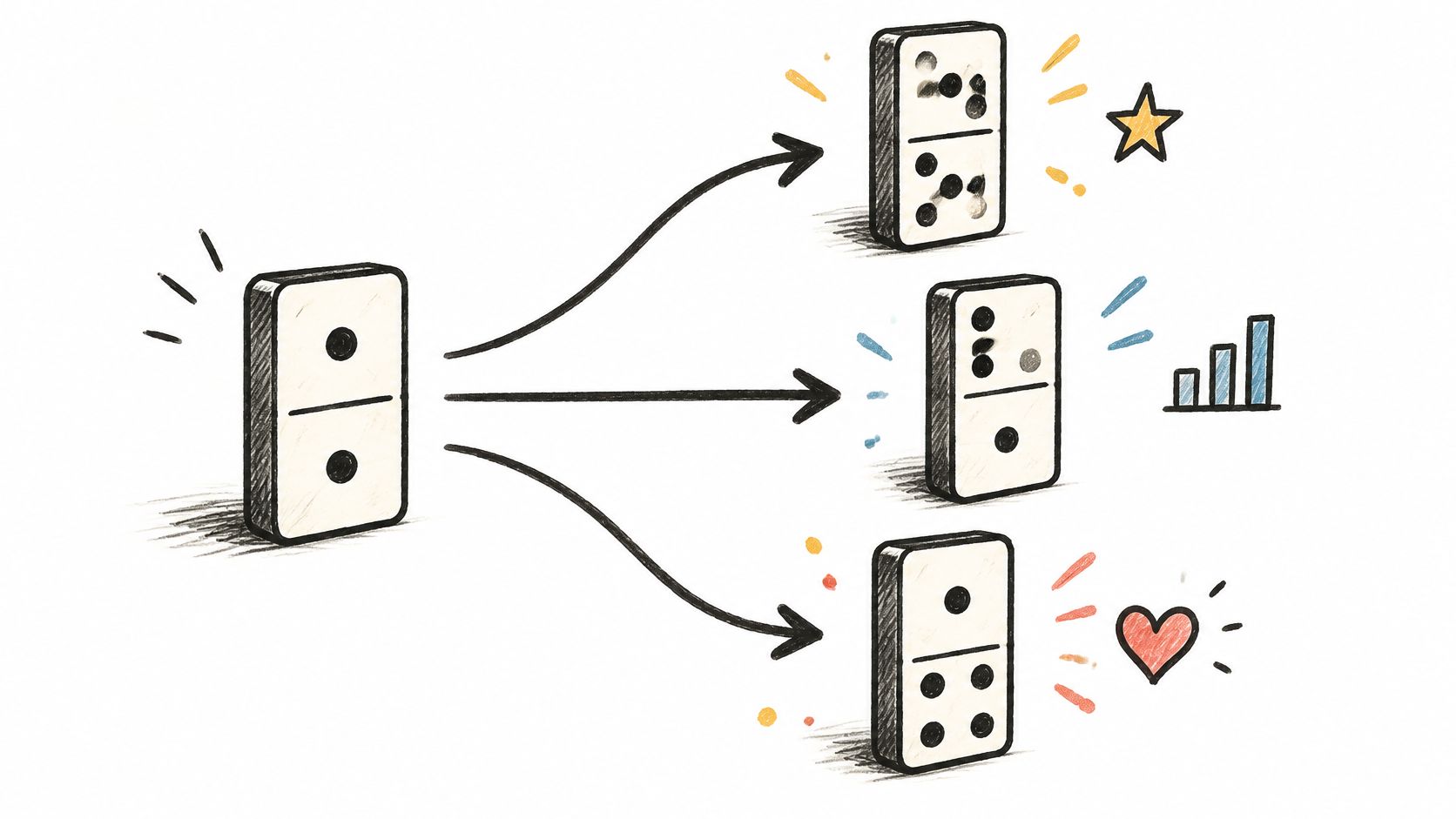
In Finder, the pattern lives in a why.md at the project root or a 00-post-mortem folder holding the evidence before the conclusion. Link the ticket, screenshot the error, date the decision. Evidence first, verdict second, or people read the verdict as opinion.
Where cause and effect backfires
The failure mode is confident causation with no observation behind it. "The migration broke the naming system" is a story. "Naming broke on March 3, two days after the shared drive switch, when files started arriving without the client prefix" is a claim someone can check.
A second failure: the causal note lives in a chat thread instead of the folder. Six months later the reasoning is gone and the folder is a mystery again.
- Name the observation, not the vibe: write what you saw, with a date attached.
- List the rival causes: one line each on what else could explain it.
- Close the chain: if the effect became a cause of something else, say so explicitly.
Tactic: open a project root folder and add why.md with three lines. What happened, what we think caused it, what we'd check first if it recurs.
4. Problem and Solution
Start with the problem, not the tool. A review of personal digital-information research reports average file holdings ranging from approximately 4,700 files per user in one study to about 15,000 in another, with reported extremes from roughly 1,000 to 56,994 files per person (arXiv preprint on personal information management). At that scale, disorganization isn't a personality trait. It's a volume problem, and volume problems need a defined pain before they need a fix.
So define it. Which file did you fail to find this week, how long did you spend, and how often does it happen? A problem statement with a number in it survives contact with a skeptical reader. "Our files are messy" doesn't.
The four parts that hold up
Problem and solution runs in order: the problem defined tightly, at least two candidate fixes, an evaluation that includes drawbacks, and a recommendation with the condition under which it's wrong. In folder terms, that's a _problems/ note and a _proposals/ note at the top level, or a dedicated project folder holding both.
The moment someone asks why you're renaming everything, the answer is already written down.
The failure mode is a proposal that's 80% problem and 20% vague fix. It reads as complaint, and the reader leaves without an action. The reverse failure is a fix with no problem stated, so nobody can tell whether it worked.
Tactic: time yourself finding five files you use weekly, then write the total at the top of the note. That number is your baseline, and it's the argument you'll need when someone asks why the folder structure should change at all.
5. Classification (Categorical Order)
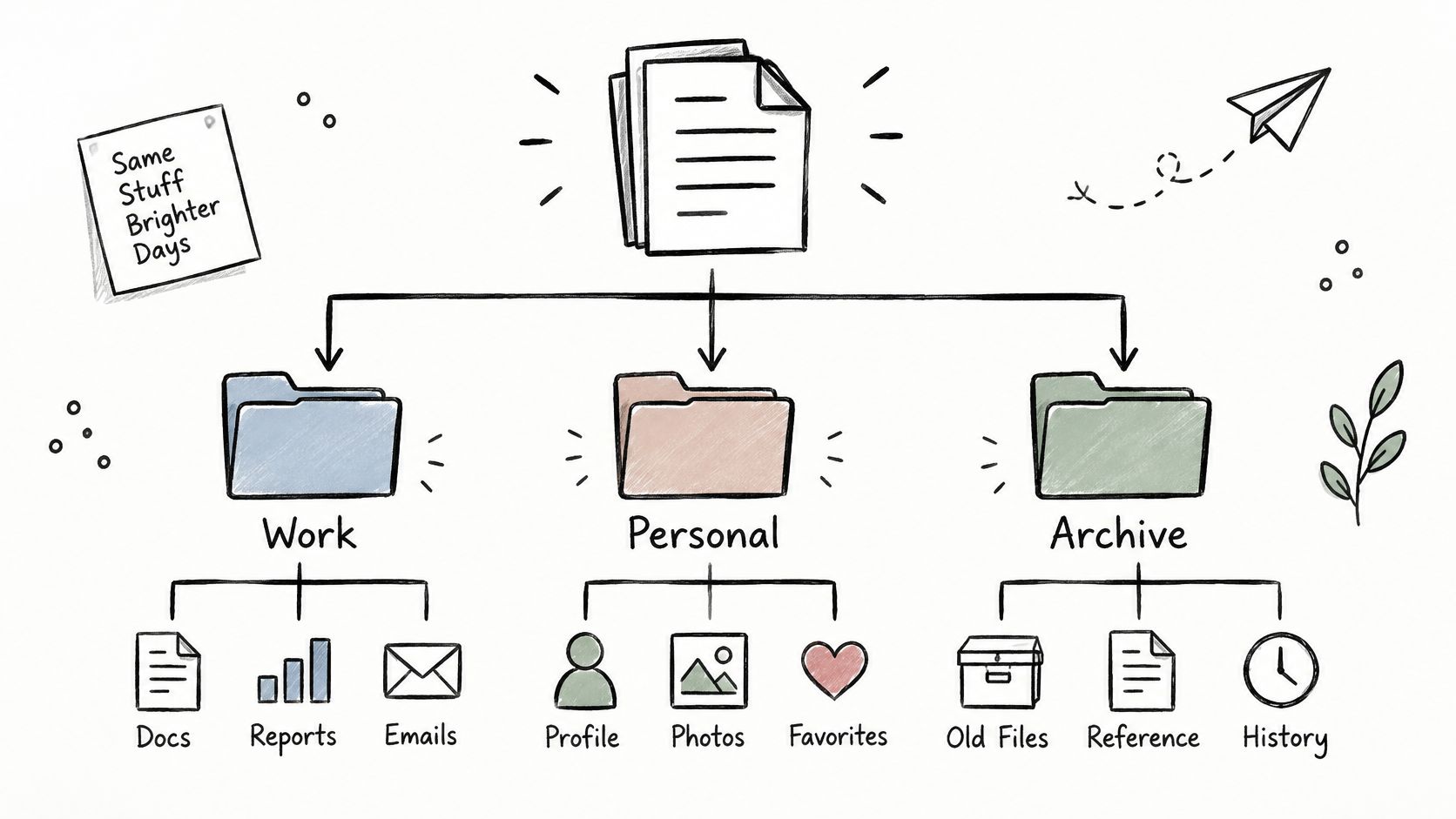
Classification is the pattern you reach for when the pile is too big to walk. You define groups by a shared trait, name them, then describe what belongs in each. Biology does it with kingdom and phylum. Your drive does it with work, personal, and archive.
People do this instinctively. A qualitative study of 16 graduate students found most participants classified digital research files by content-specific theme immediately upon creation and placed them straight into topic folders (USF study of graduate student file organization). They didn't sort by file type or by date. They sorted by what the work was about.
Make the criteria explicit
The step many writers skip is stating the rule. Is a shared client deck "work" or "clients"? Is last year's project "archive" or still "active" because one deliverable is pending? Write the criteria before you create the categories, and keep them where you'll see them.
Two levels is usually enough. Top level by client, course, or theme. Second level by stage, such as Briefs, Sources, Working Files, Exports, Archive. A third level is fine for one branch that needs it. A fourth level means you're hiding files rather than organizing them.
Failure modes to watch: the Misc folder that becomes a second drive, categories that overlap so a file could live in three places, and a naming scheme applied to new folders but never to old ones.
Tactic: open a messy folder, view its contents in one flat list, and write down the three to five traits that separate those files. Build folders from the traits, not from the file names. Follow a project folder structure that scales rather than inventing a new one per project. The same instinct explains why bulk unsubscribing from newsletter overload beats deleting messages one at a time: grouping is faster than handling.
6. Spatial or Descriptive Order
Spatial order describes something by where its parts sit. Top to bottom, left to right, near to far, outside in. It works because a reader can hold a map in their head. It fails for the same reason, since the map only exists if the reader shares the layout you're describing.
Writing side, that's a Finder window described from sidebar to main pane, a museum walked room by room, or a house described from the front door to the back garden. The rule is mechanical. Pick a starting point, pick a direction, and don't turn around halfway through.
Where it transfers to Finder
Folder side, spatial order puts your hierarchy in the same position as the thing it represents. A studio with a shooting bay, an edit desk, and a storage wall gets three folders in that order. A website project gets folders mirroring the page structure, so a designer hunting for the pricing page knows where to look without reading.
The failure mode is a spatial system for something with no space. Four-level nesting has a position in the tree, but nobody perceives it. The same thing happens on a laptop where the sidebar is collapsed, or when the physical room gets rearranged and your folder names now describe furniture that moved.
Tactic: take the folder you open most and rename its children with position prefixes, 01-sidebar, 02-main, 03-inspector, or front, middle, back. Position words sort predictably and survive a redesign better than a clever metaphor, because you can update a number without rewriting the whole scheme.
7. Process or Sequential Order
Process order is the only pattern where sequence is essential. Steps run in the order they must run, and each one assumes the last. Academic writing borrows the same skeleton, with research structures built around problem, prior work, methods, results, and interpretation (RCTC guide to patterns of organization). Skip a stage and the reader has to guess what happened in between.
Folder side, that becomes numbered stages. 01-intake, 02-working, 03-review, 04-export, 05-archive. Zero-pad the numbers, or the tenth step sorts before the second.
Steps that don't need a paragraph
On the writing side, each step starts with a verb and covers one action. "Open Finder. Select the project folder. Apply the style." Not "the user should consider whether applying a style might be appropriate."
The failure mode is material that doesn't belong to any step. Fonts, brand assets, reference screenshots, and old briefs aren't part of the pipeline, so they clog stage folders and get duplicated across three of them. Give them a side folder with a name that sorts out of the sequence, like _reference, and point every stage at it.
A second failure: steps that get re-run. If review sends work back to stage two, the numbered folders stop reflecting reality. Either copy back into 02-working and note the round, or add 03b-review-round2 so the history stays visible.
Tactic: write the entry and exit condition for each stage on a single line inside the folder, then automate the moment a new folder appears so the sequence never starts unstyled. Folder actions in Automator are the low-effort path for that.
8. Order of Importance
Order of importance is a budget decision disguised as a pattern. You rank by significance, either strongest first to grab attention or strongest last to leave an impression. Writing uses it in executive summaries, product reviews, and proposals that lead with the outcome rather than the method.
Folder side, the decision is which things deserve to be top level at all. That's a ranking, and many never make it. Everything that arrives gets its own folder, so the top level becomes a list of everything, which is the same as a list of nothing.
Rank by access, not by size
The criterion that helps is frequency of use. A folder you open four times a day outranks a folder holding 40 GB. Rank by how often you need to reach it, then encode the ranking so it survives a restart.
Finder's list view sorts alphabetically, so rank has to live in the name or in the sidebar. Numbers work: 01-active-clients, 02-projects, 03-reference. Dragging the three most-used folders into the sidebar works too, and it's faster to reach than any tree you could build.
The failure mode is a ranking that goes stale. The loudest client isn't the most important client, and this quarter's urgency becomes next quarter's clutter. Re-rank on a schedule, not when you finally notice the mess.
Tactic: open your home folder, count the top-level folders, and merge or delete until there are fewer than ten. Then pin the three you use most to the sidebar. Fewer doors, better signs.
How the Eight Organizational Patterns Compare
| Pattern | Orders By | Signal Words | Best For | Main Risk |
|---|---|---|---|---|
| Chronological Order | Time sequence | First, then, later, finally | Timelines, histories, and progress updates | The main point may appear too late |
| Compare and Contrast | Similarities and differences across subjects | Similarly, unlike, in contrast | Evaluating options and trade-offs | Poorly chosen criteria can make comparisons unfair |
| Cause and Effect | Causes and their outcomes | Because, therefore, as a result | Explaining relationships and outcomes | Mistaking correlation for causation |
| Problem and Solution | A problem followed by possible solutions | Problem, solution, recommendation | Practical guides, proposals, and how-to content | Solutions may be presented without their limitations |
| Classification (Categorical Order) | Shared characteristics and categories | Grouped by, includes, belongs to | Organizing complex information into groups | Categories may overlap or feel arbitrary |
| Spatial or Descriptive Order | Physical or visual location | Above, beside, beyond, within | Describing spaces, layouts, and interfaces | Readers may lose orientation |
| Process or Sequential Order | Steps in the order they must be performed | Action steps and sequence markers | Instructions, procedures, and workflows | Missing or out-of-order steps can cause failure |
| Order of Importance | Significance or priority | Most important, most significantly, least critical | Persuasive writing, reports, and summaries | Importance rankings can be subjective |
Pick Two Patterns and Rebuild One Folder This Week
Eight patterns, one decision rule. Choose chronological when the value is history. Choose compare and contrast when someone has to pick between options. Choose cause and effect when someone needs to understand why. Choose problem and solution when you want action, classification when the pile is too big, spatial when position matters, process when order is essential, and order of importance when attention is scarce.
That's the whole test. You don't need to know which pattern is correct in the abstract, only which question the reader or future you is asking.
The bigger takeaway is that messy folder systems rarely get fixed by adding folders. They get fixed by applying the right pattern shallowly. Three top-level categories instead of thirty. Five numbered stages instead of a nested maze. A date prefix on the projects that are time-bound. Depth feels thorough, but shallow structure is what people can use.
So pick two. One pattern for the writing you produce most often, one for the file system that slows you down. Apply both to a single folder before you touch a second one. A scheme you've tested once is easier to defend than a scheme you've planned for a month, and it's far easier to abandon when it's wrong.
Where visual styling earns its place is at scale. Batch editing gives several selected folders a color and icon in one action, and the Smart Color and Smart Icon features read a folder's name plus the styling of its neighbors to suggest an icon and a color that fills a gap in the palette. A classification tree or a five-stage process then stays visually consistent as it grows, instead of drifting the first time you add a folder in a hurry.
That's the point of pairing writing patterns with file patterns. The structure tells you where something belongs. The visual layer tells your eye where to land before you've read anything.
Tintd gives every pattern above a visual layer in Finder. Apply a color and icon to one folder or fifty at once, import a custom image when nothing in the library fits, and let Smart Color and Smart Icon keep each new folder in line with the ones around it. It runs entirely on your Mac with more than 11,000 icons and emojis to choose from, and it's a one-time purchase rather than a subscription. Visit Tintd and style the folder you just restructured.