
You're about to send a file to a client, and the folder gives you final_v2, final_FINAL, and final-new. You open one, then another, then message a colleague to ask which one went out. The work is done. Finding it is the problem.
That's exactly what strong file naming conventions solve. A good name tells a stranger what a file is, where it belongs, and whether it's current, without anyone opening it. It also has to survive the trip to another computer, a shared drive, or a different operating system.
The Naming Template Every Team Can Copy
Start with this name:
NORTH-2026-03-14_brand-logo-concept_v03_final.psd
Read it left to right. NORTH is the project. 2026-03-14 is the date. brand-logo-concept describes the contents. v03 is the version. final is the status. .psd is the extension the application added.
The order matters. Put the most stable element first, usually the project code, so a sorted folder groups work by project and then by time. If you put the descriptor first, files from different projects scatter through the list and search does the work your name should've done.
The Six Elements in Order
| Element | Pattern | Sample value | Rule |
|---|---|---|---|
| Project code | 3-6 uppercase letters or digits | ACME | Fixed for the life of the project |
| Date | YYYY-MM-DD | 2026-03-14 | Date of creation or delivery, stated in the guide |
| Descriptor | 2-4 lowercase words joined by hyphens | brand-logo-concept | Describes content, not status |
| Version | v + two digits | v03 | Increase on every saved iteration sent for review |
| Status | draft, review or final | final | Used only on deliverables |
| Extension | Unchanged from the application | .psd | Single final period only |
A few points trip people up. Your descriptor should say what's inside, not how finished it is. "brand-logo-concept" works. "new-version" doesn't, because new stops being true tomorrow. Status carries that meaning, and only if you limit it to a short list. The moment someone adds "final-ish" or "approved-maybe," the status element stops being searchable.
Version is separate again. A file can be v03 and still be a draft, or v07 and final. Keep those ideas in different slots and you'll never need names like final2 or final-really-final.
If you also name products or features, Sprello's guide to product naming is a useful companion because it tackles the same discipline from the naming side, keeping labels short, consistent, and easy for outsiders to parse.
The Stranger Test
Before you save, ask three questions.
- What is this? The descriptor should answer without opening the file.
- Which project does it belong to? The code should be obvious at a glance.
- Is it the current version? The version and status should settle it.
You don't need all six elements every time. A personal photo might only need a date and descriptor. What you do need is the same order, every time, so missing elements don't shift everything else out of place.
Why Naming Conventions Break Down in Practice
Many groups don't lack effort. They lack an agreement that survives a busy week.
Think of a filing cabinet with unlabelled drawers. Every paper is in there somewhere, but finding one means opening every envelope. A shared folder full of "presentation," "presentation new," and "presentation March" works the same way. The files exist. The retrieval system doesn't.
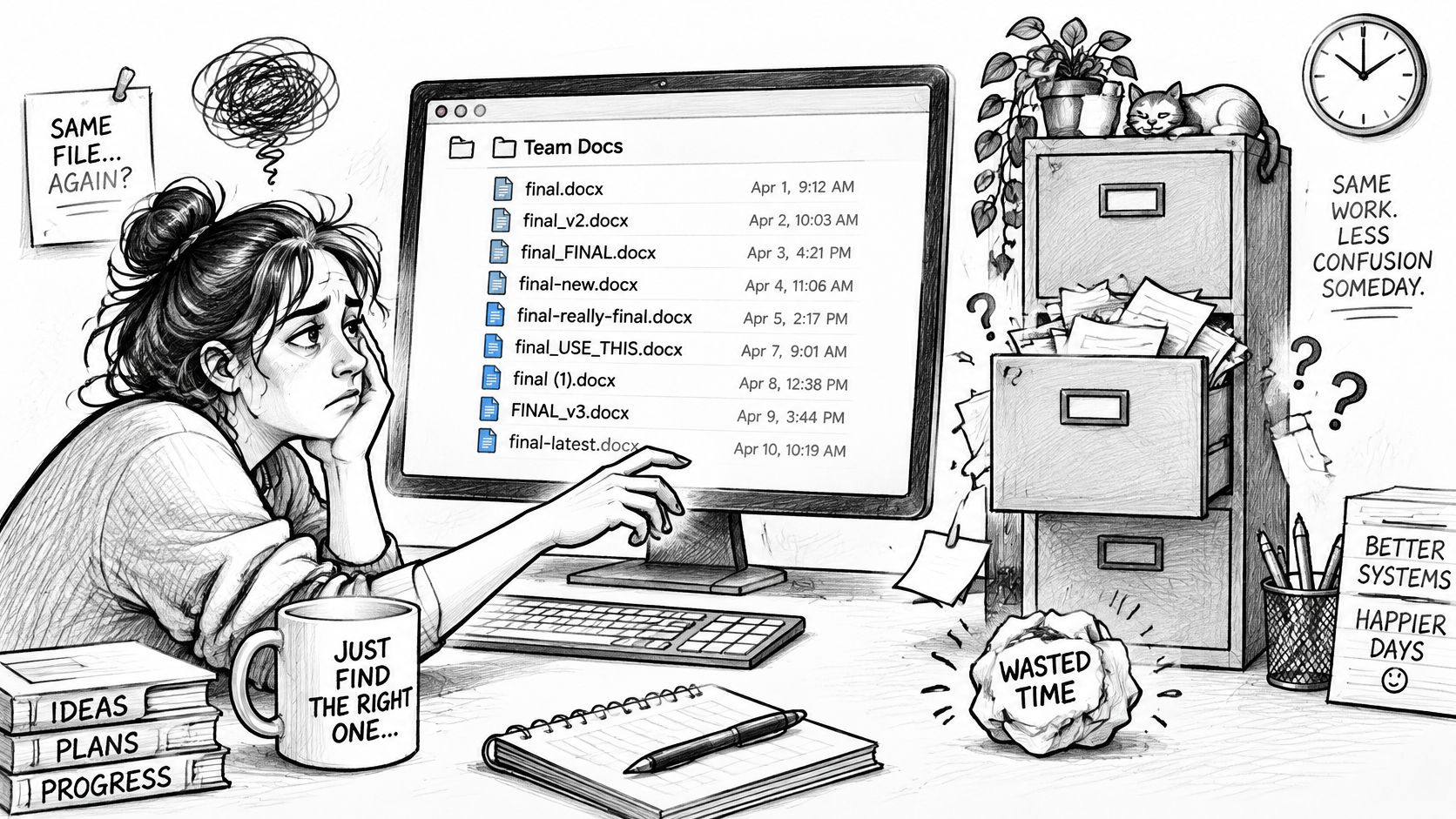
Two failure modes cause most of the mess.
Names drift. One person writes dates as 14-03-2026, another as 2026-03-14, a third skips dates under deadline pressure. Within a month, the same project uses three date formats and two version schemes, and sorting becomes meaningless.
Names only make sense to their author. "Draft for Sarah" is clear on the day you save it. Six months later, after Sarah changes teams, it tells nobody anything. Your future self is also a stranger here. If you can't place a file a year later, the name failed, even though you wrote it.
This isn't a rare problem. In a 2026 cross-industry study published by Daniel Coward on LinkedIn covering more than 200 companies and approximately 10,000 files, 73% of filenames contained issues such as inconsistent date formats, vague versioning, or missing context.
What a Working Convention Actually Fixes
- Findability: Search for a project code and every related file surfaces, even across folders.
- Sorting: A list view reads in project and chronological order without manual rearranging.
- Handoffs: Designers, developers, supervisors, and clients can identify the right file without asking.
Naming sits inside a bigger organising system, and teams managing large asset libraries will find useful thinking in building a scalable digital asset taxonomy, which covers how categories and labels hold up as collections grow.
A convention is only as good as the team's agreement to use it. A perfect template in a document nobody reads changes nothing, so the building process has to create that agreement as it goes.
How to Build Your Convention in Six Steps
Here's the full process on one page before we walk through it.
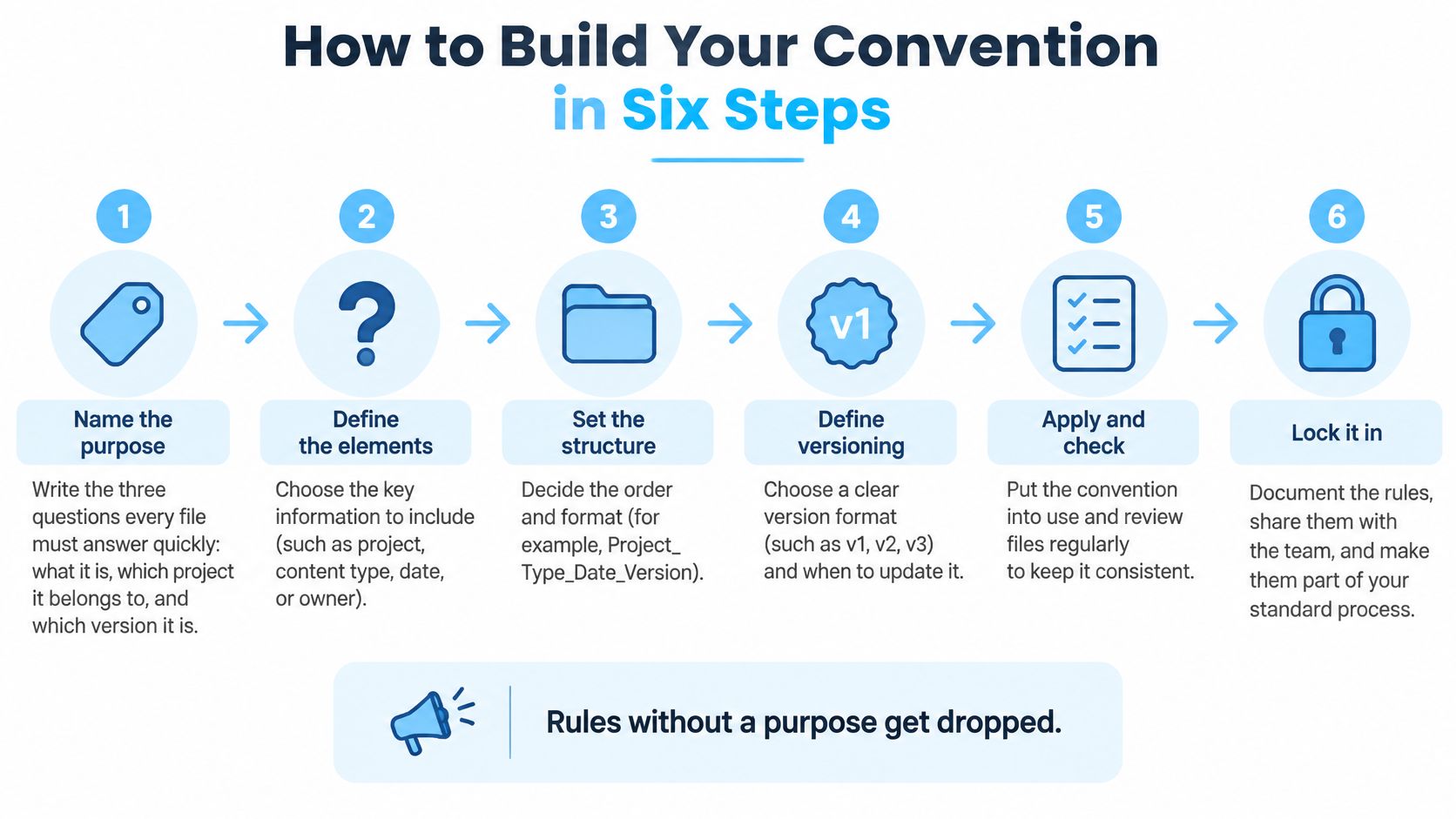
Name the purpose. Write down the three questions every file must answer quickly, usually what it is, which project it belongs to, and which version it is. Rules without a purpose get dropped the first time a deadline bites, because nobody can explain why they matter.
Choose four to six elements and fix their order. Pick from project code, date, descriptor, version, status, and role. The slip to avoid is adding elements nobody will fill in. If your team won't record a location or a client contact on every file, leave it out, because an element that's blank half the time breaks the pattern for everyone.
Set separators and case. Use hyphens between words inside an element and underscores between element groups, lowercase throughout except project codes, and no spaces. Spaces break command-line scripts and some web links, and they make names harder to select with a double-click. Pick one scheme and don't let people mix hyphens and underscores freely.
Fix the date and version rules. Dates are YYYY-MM-DD, versions start at v01, and you define once whether the date means creation or delivery. That single definition prevents a quiet argument that otherwise runs for years, with half the team dating by creation and half by delivery.
Watch the steps applied in a short walkthrough before you draft your own guide.
Write a one-page guide. Include five good examples and five bad ones, plus one rule for exceptions such as legacy files you won't rename. Keep it to one page. A twelve-page standard signals that naming is bureaucratic, and people route around bureaucracy. Pin the page where files are saved, not in a policy folder nobody opens.
Pilot for two weeks on one active project. Then revise the two or three rules people broke most often. Skipping the pilot produces rules nobody uses, because you'll discover too late that one element is difficult to supply at save time.
When a rule keeps breaking during the pilot, treat that as information about the rule, not as laziness from the team.
How You'll Know It's Working
Sorted lists read like a timeline. Anyone on the team can find the latest final file in under ten seconds, and new starters can name files correctly on their first day using the one page alone.
Date and Version Formats That Sort Correctly
Open a folder containing 3-4-26, 2-11-26, and 10-3-26. In list view they sort by their first character, so 10-3-26 comes before 2-11-26 and the timeline is scrambled. Now add versions v1, v10, and v2, and the computer places v10 before v2, because text sorting reads character by character and "1" comes before "2."
Both problems look like carelessness. They're format problems, and they have mechanical fixes.
Why the Date Goes Year First
YYYY-MM-DD sorts chronologically in any file manager because the largest unit comes first and every unit has a fixed width. DD-MM-YYYY sorts by day, so the 1st of every month clusters together. And 3-4-26 carries a second problem. It's ambiguous between March 4 and April 3 depending on where the reader lives, and a two-digit year leaves the century to guesswork.
Microsoft's own guidance reaches the same conclusion for cross-platform work. The Microsoft file naming documentation supports date-first formats such as YYYY-MM-DD to improve lexical sorting, along with stable project and version tokens that reduce ambiguity during batch processing.
Keep the Date and the Version Apart
The date records when a file was made or delivered. The version records which iteration of the work it is. Those are different facts, so two files from the same day can differ in version, and one version can be re-delivered on a later date. Merge them and you lose one of the two.
Padding is what makes versions sort. Write every number with two digits, from v01 to v99, so v02 sits before v10. If a project will clearly pass ninety-nine iterations, start at v001 instead of switching midstream.
Stable tokens help scripts too. A fixed project code and a small set of status words let a batch tool match files reliably, which is why a guide to batch file renaming on Mac is worth reading once your pattern is settled. Data-heavy teams will recognise the same discipline in approaches to manage versions of robotics data, where a version token has to stay unambiguous across many automated runs.
For teams across time zones, date the delivery in the team's own time zone and write that rule into the guide, so a file sent near midnight gets one agreed date.
| Mistake | Why it breaks | Better format |
|---|---|---|
| Dates written as 3-4-26 | Year and day sort in the wrong order | 2026-04-03 |
| Versions as v1, v10, v2 | Text sorting puts v10 before v2 | v01, v02, v10 |
| final, final2, FINAL-new | No order and no clear latest file | v04 plus status final |
| Date of last save used as delivery date | Every re-save changes the date | Delivery date in the file name, not save date |
| Day-month order mixed across the team | Dates such as 03-04 are ambiguous | YYYY-MM-DD across the whole team |
Finish with one rule that prevents version inflation. Increase the version on any save sent to someone else, not on every save you make. Your local working saves are your business. The version number is a communication tool for other people.
Characters, Accents and Length Limits That Break Transfers
Here's a common assumption that's worth challenging. If your Mac accepts a name, the name is fine.
It isn't. The strictest system in your workflow sets the limit, not the Mac that created the file. A name that's perfectly legal at home can fail to copy to a Windows volume, get renamed by a sync service, or become unreachable inside a deep folder tree. Most naming advice stops at readability. Transfer risk is the part that loses files.
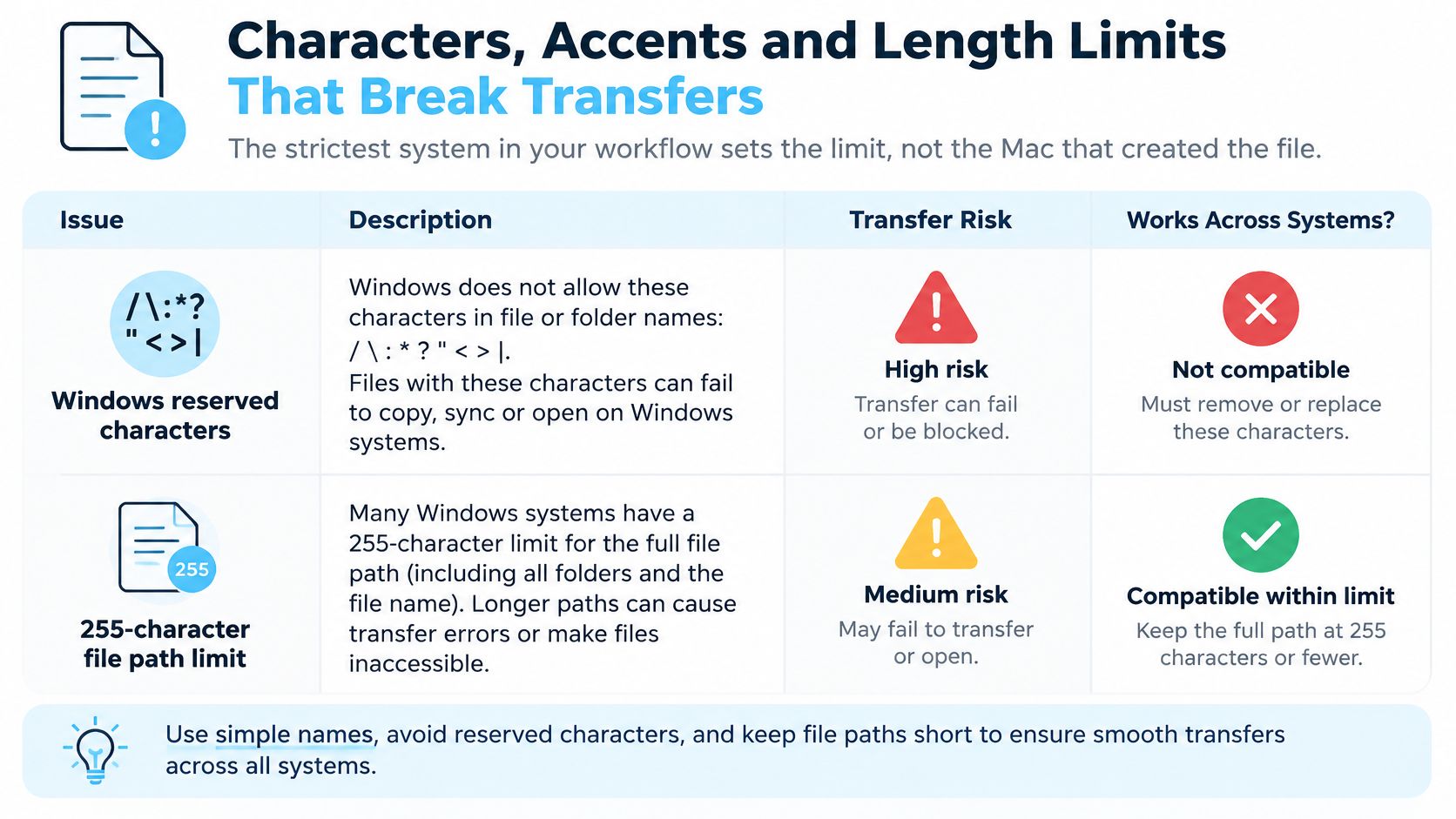
| Constraint | Where it fails | Safe practice |
|---|---|---|
| Reserved characters: < > : double quote / \ | * | Windows volumes, cloud sync, zip archives | Letters, digits, hyphens and underscores only |
| 255-character limit per name | Long descriptors on Windows and network shares | Keep each name well under 255 bytes |
| 260-character path limit (MAX_PATH) | Deep folder trees copied to Windows | Keep folder depth to about four levels |
| Reserved device names CON, PRN, AUX, NUL | Windows machines | Never use them as file or folder names |
| Trailing period or trailing space | Windows strips or rejects them | Remove before saving |
| Decomposed accents (NFD) | Linux scripts, Git and sync tools | Normalize to NFC and test byte length |
| Byte length over 255 bytes | Accented names after transfer | Check byte count on the real transfer path |
The Accent Problem, in Plain Language
An accented letter can be stored two ways. It can be one precomposed character, or a base letter plus a separate combining mark. On screen they look identical.
As the Unicode in filenames guide explains, macOS commonly exposes decomposed, NFD-like names, while Linux environments often use NFC or leave normalization unchanged. That mismatch can create duplicate-looking filenames, failed comparisons, broken scripts, or synchronization conflicts even when users see identical text.
There's a second catch. Filename length is measured in bytes rather than visible characters, and decomposing accented characters increases the byte count. A name that appears to sit under the limit can therefore exceed a 255-byte component limit after transfer or processing. This is why counting characters in Finder gives false comfort.
The Honest Trade-Off with ASCII-Only Names
Restricting everything to plain ASCII does improve interoperability. It also sacrifices accessibility, searchability, and cultural accuracy, because it forces incorrect spelling in Spanish, German, Japanese, and many other languages. Telling a colleague to misspell their own name so a script works isn't a policy, it's an abdication.
Use a layered approach instead.
- Keep the native-language display name. People's names and place names stay spelled correctly where humans read them.
- Normalize to NFC before saving where your tools allow it, so every system compares the same byte sequence.
- Keep an ASCII slug as the machine identifier. Scripts and sync tools match on the slug while people read the display name.
- Test the actual transfer path. Round-trip sample files through the NAS, cloud drive, or Git repository your team really uses.
Unicode is acceptable. Normalize it consistently, validate byte length, and check that it survives the trip.
Role-Based Templates for Creatives, Developers, Students and Researchers
The same elements work for every role. What changes is which element carries the most weight, because each role gets hurt by a different kind of confusion.
| Role | Template | Example | Priority element |
|---|---|---|---|
| Creatives (design, photo, video) | Client_YYYY-MM-DD_asset_vNN.ext | ACME_2026-03-14_homepage-banner_v03.psd | Version and asset type |
| Developers | project_component_doctype_vNN.ext | shop-api_auth-flow_spec_v02.md | Component and document type |
| Students | Course_assignment_surname_vNN_status.ext | HIST201_essay1_smith_v02_final.pdf | Course code and status |
| Researchers | StudyID_YYYY-MM-DD_datatype_vNN.ext | ECO07_2026-02-11_survey-raw_v01.csv | Study ID and raw versus cleaned |
Creatives lead with the client or project code and the asset type. One campaign can hold hundreds of iterations of the same banner, so the version has to be unambiguous and the asset type has to distinguish a homepage banner from a social crop at a glance. Without the asset element, you're opening files to check dimensions.
Developers work inside repositories that already impose lowercase names and no spaces, so don't fight the repo. Use the name for the component and document type instead. shop-api_auth-flow_spec_v02.md tells a reviewer exactly which part of the system it describes, which matters more than a date the commit history already records.
Students should follow whatever an instructor specifies first. Where nothing is specified, the name should carry the course code, the assignment, and the submission status, so a marker handling a full class set can find your work in seconds. A surname helps when submissions land in one shared inbox.
Researchers have the highest stakes. Name raw and cleaned data differently, mark raw files read-only, and anchor everything to a study identifier and date. If cleaned data overwrites raw data under the same name, the study can't be reproduced.
Handling Exceptions Without Breaking the System
Sometimes a platform imposes its own rules. A submission portal may rename uploads, or a tool may demand a specific pattern. Follow the platform, and record the human-readable name in a README or project index so the connection isn't lost.
The same applies across languages. The display name can stay native while the machine identifier stays ASCII, which keeps both people and tools happy.
Naming works best when the folder structure carries part of the load, so pair these templates with a sensible project folder structure rather than forcing every fact into the filename. If you're stuffing client, campaign, region, and channel into one name, some of that belongs in folders.
Adopt One Convention and Automate the Checks
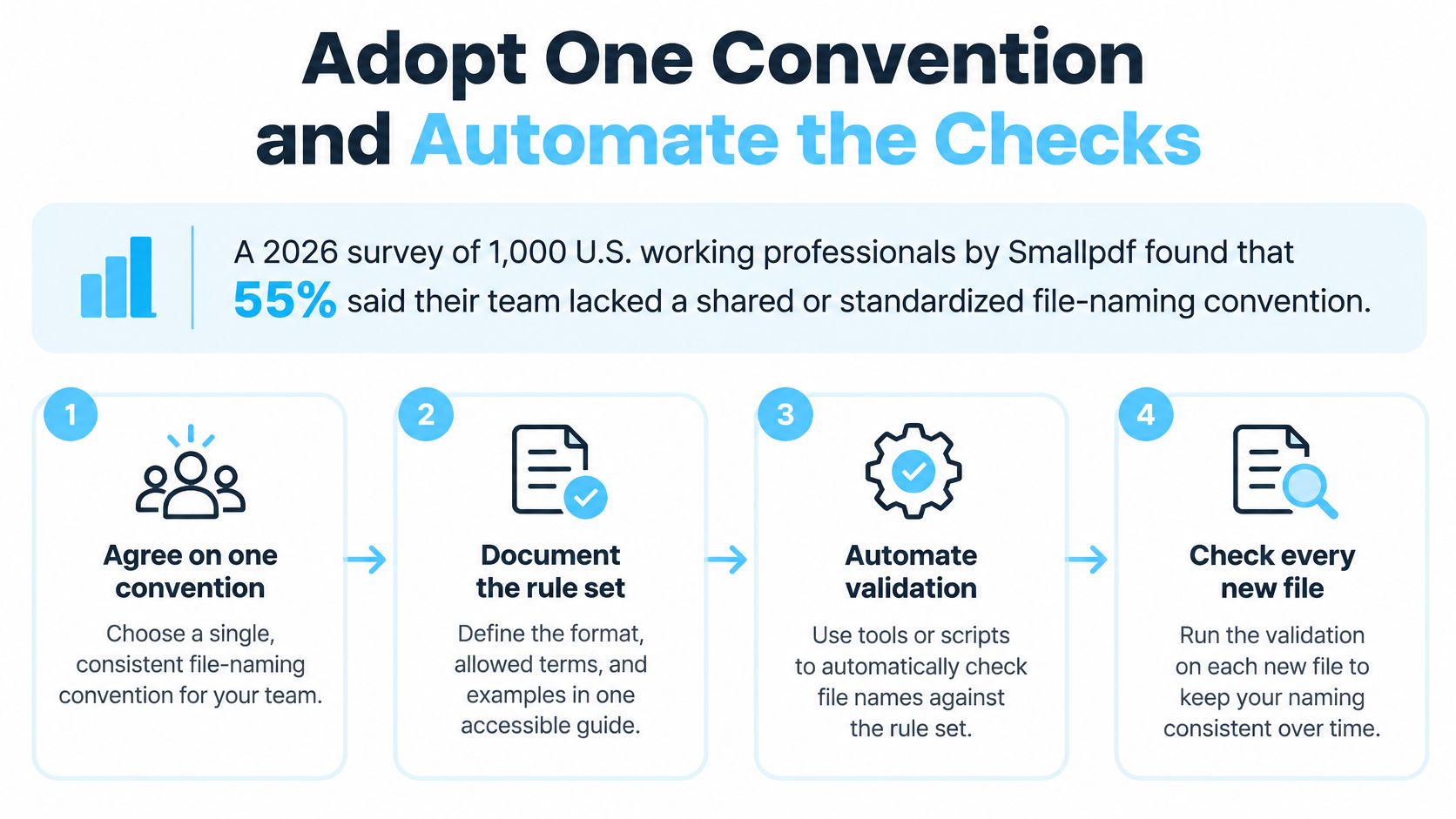
Many teams never make the agreement in the first place. In Smallpdf's 2026 survey of 1,000 U.S. working professionals, 55% said their team lacked a shared or standardized file-naming convention.
So adoption comes before enforcement. Publish the one-page guide, get sign-off from the people who create files, and apply it to one active project before rolling it out everywhere. A convention announced by email to the whole organisation tends to die by Friday.
Three Levels of Automation
Level one checks files as they arrive. Set rename rules on incoming folders, such as an Automator folder action on macOS or a folder-watching tool that flags or fixes new downloads. If you're weighing up options, this overview of Mac automation apps covers tools that can watch folders and act on new files.
Level two audits what's already there. A short script on Windows or Linux can list every file that breaks the pattern, checked against the same element order in your guide. Run it against a project folder and you'll see drift immediately, including who needs a refresher.
Level three tracks the trend. Run a quarterly audit that counts non-compliant names and chart the number over time. A falling count tells the team the habit is forming. A rising count means a rule is too hard to follow and needs revisiting, not louder enforcement.
What to Do with Existing Files
Don't rename an archive blindly. Keep a mapping sheet from old names to new names so links in documents, tickets, and emails can be repaired when they break. Rename active projects first and leave closed archives alone unless someone still searches them.
Do one thing this week. Pick the next project, write its template on one page, rename one folder to match, and set one check that runs every time a file is added. That small, working example persuades people far better than a policy announcement.
Once your names are consistent, make the folders themselves easier to spot. Tintd reads a folder's name and picks a matching icon and color, and its Folder Watcher automatically styles new folders in your chosen locations so a well-named project is also instantly recognisable in Finder. Visit Tintd to see how visual organisation can sit on top of the naming system you've just built.